
1 Load Your Film
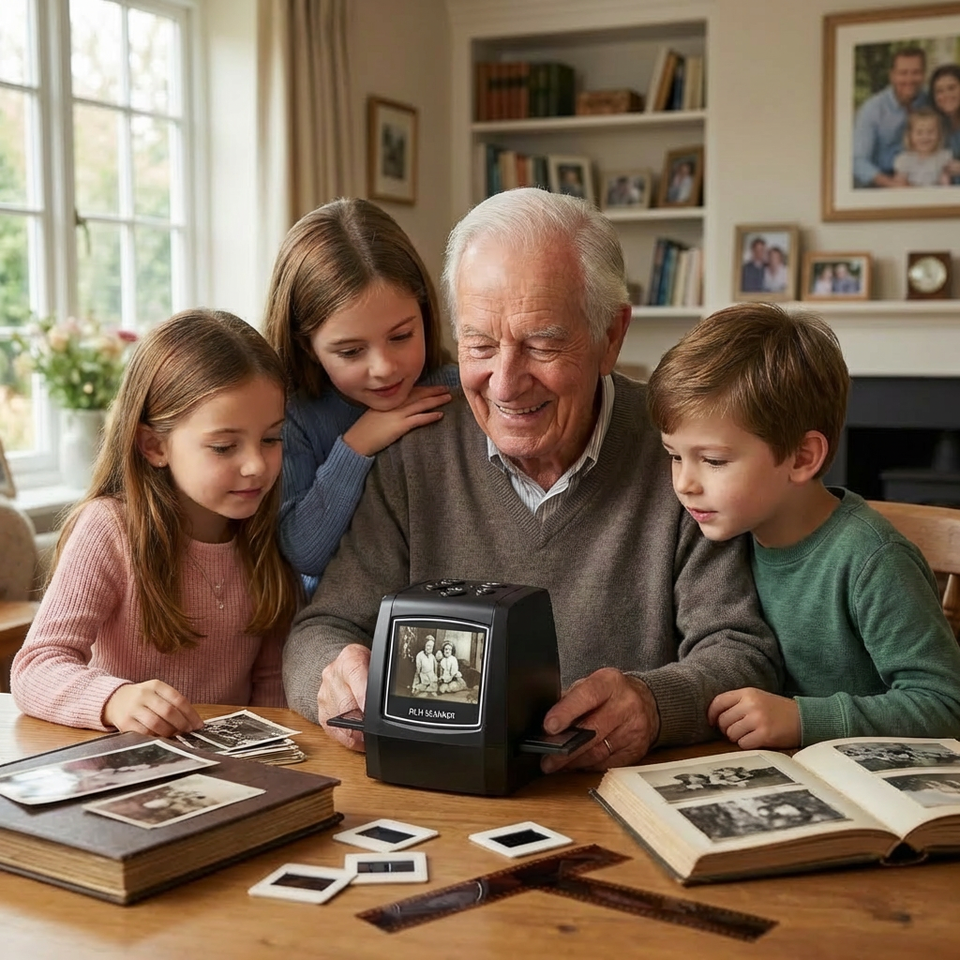
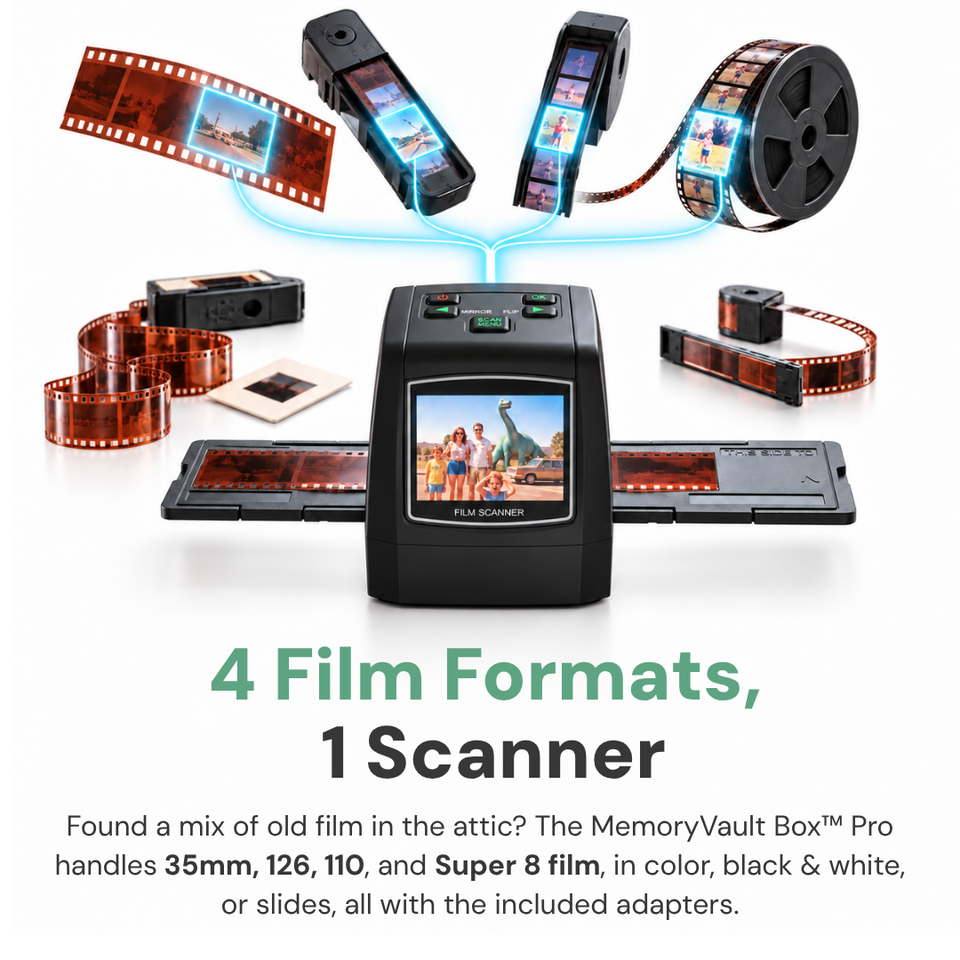
Place your 35mm, 110, 126 slide/negative, or Super 8 film into the included holder and slide it into the device. Works with color or black-and-white formats from the last 75 years.
Black Friday Sale
BLACK FRIDAY SALE
UP TO 50% OFF
UP TO 50% OFF
Valid for First 50 Customers Only
ENDING IN
UP TO 50% OFF

Customers also bought these products.


Get 50% Off MemoryVault Box™
Scan your 35mm, 110, 126 & Super 8 film at home in just a few simple steps, while keeping your original film safe.
No computer. No software. No sending your film away.
“No computer needed was the key for me. I’m not good with technology but this I could figure out in 5 minutes.”

Exclusive Discount for the First 100 Customers
Only 8 Spots Left to Claim Your Discount!
90-Day Money-Back Guarantee
1-year manufacturer's warranty

Your memories. In your hands.
A simple way to preserve your memories right at home.
Just insert your film, press a button, and see your photo on the built-in screen in about 3 seconds.
It scans 35mm, 110, 126, and Super 8 film and saves your memories digitally.
So you can finally see the people, places, and moments you've kept for decades.
Your originals stay safe at home. Your memories stay in your hands.
Load. Scan. Save.
Place your 35mm, 110, 126 slide/negative, or Super 8 film into the included holder and slide it into the device. Works with color or black-and-white formats from the last 75 years.

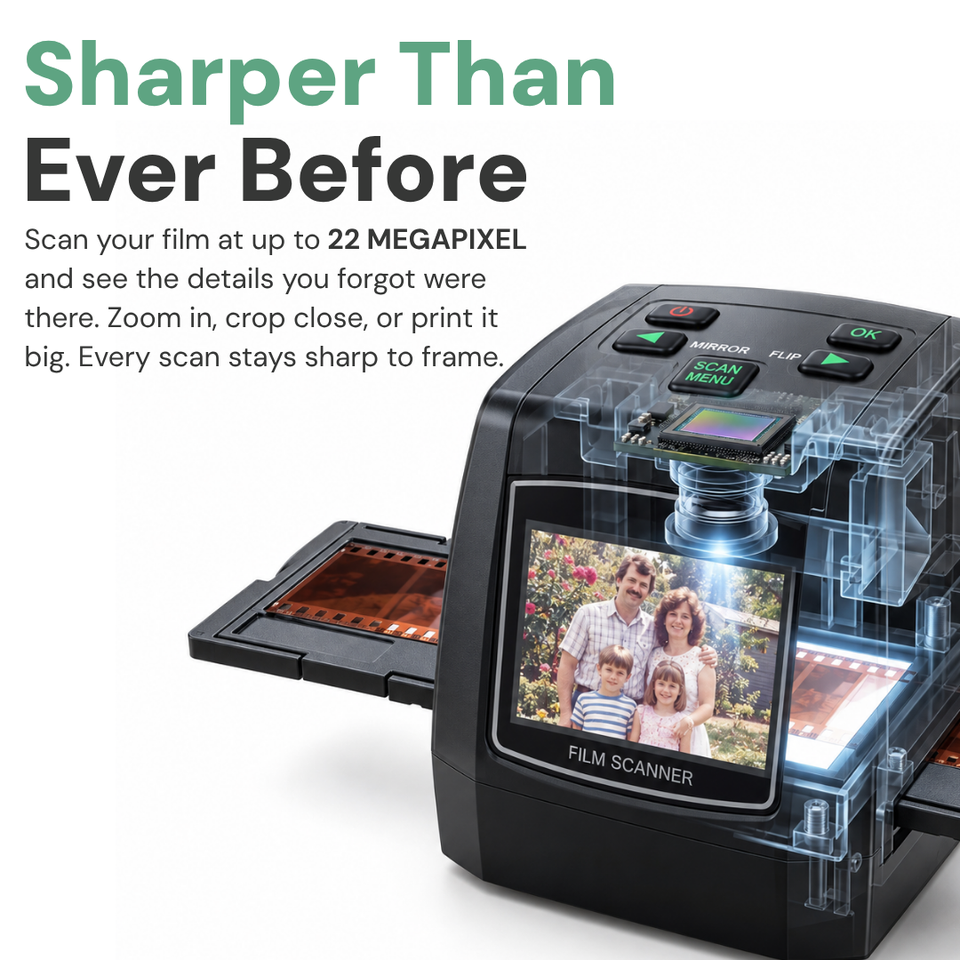
Tap the button and watch your crystal-clear, 22-megapixel digital photo appear on the built-in screen in just 3 seconds. No computer, cables, or software required.

Files save automatically to the SD card. Transfer them instantly to your phone, tablet, or PC using the included card reader or USB cable. Then, you can share them directly with family and friends.
The MemoryVault Journey
One simple journey to digitize, organise, share, and protect the memories you want to pass down.

Bring old slides and negatives back into view. Scan at home without needing a computer.

16GB SD card (Pro) · 32GB SD card (Family)
Save each scan directly to your SD card, ready to transfer and keep.

Bring your digital memories together in organised albums that are easier to revisit and share.

Transfer your scans to compatible devices and share treasured moments with the people who matter.

Acid-free film sleeves (Pro & Family) · Desiccant beads (Family)
Give your original slides and negatives extra care, even after you’ve digitized them.

Turn favourite digital memories into a lasting keepsake your family can enjoy for generations.
Price per slide
Professional digitizing can cost £1–£3 per slide for services that include high-resolution scans and color correction.
With MemoryVault Box™, you pay £109.99 once and scan compatible slides at home. Preview your images on the built-in screen and save your scans directly to an SD card. No computer needed for scanning.
| Slides | Professional Service*Pro service* | MemoryVault Box™MemoryVault |
|---|---|---|
| 100 | £100–£300 | £109.99 |
| 250 | £250–£750 | £109.99 |
| 500 | £500–£1,500 | £109.99 |
| 1,000 | £1,000–£3,000 | £109.99 |
| 2,000 | £2,000–£6,000 | £109.99 |
*Illustrative estimates at £1–£3 per slide. Service prices and included features vary.

Made for your memories

See your scans instantly on a built-in screen. No computer, software, or technical setup required.

Get high-quality scans at your kitchen table. No need to send your originals away or waste money on scanning services.

Enjoy more detail and color in old, faded photos and slides with built-in backlight compensation.
Real family memories
“I scanned over 300 slides in a single day. The photos I thought were too faded came back beautifully. My grandkids can finally see what their great-grandparents looked like.”

“I almost paid thousands to a mail-in service. This paid for itself after 50 negatives and I didn’t have to risk my originals in the mail. Exactly as simple as advertised.”

“No computer needed was the key for me. I’m not good with technology but this I could figure out in 5 minutes. I finally preserved the photos of my kids.”


An easier way to begin
Mail-in services charge per photo. Photo centers take time. And sending your originals away can feel risky.
Computer scanners aren't much easier. There are cables, software, and complicated steps that can turn a simple project into a frustrating one.
And smartphone apps? They often produce blurry, distorted results.
Compare your options
| Our Device | Mail-In Services | Scanners | |
|---|---|---|---|
| Built-In LCD Screen | Yes | No | No |
| No Computer Needed | Yes | No | No |
| See Results Instantly | Yes | No | No |
| Keep Originals Safe | Yes | No | No |
| One-Time Cost | Yes | No | No |
| No Technical Skills Required | Yes | No | No |
| Works With Old Film | Yes | No | No |

From film to your photo library
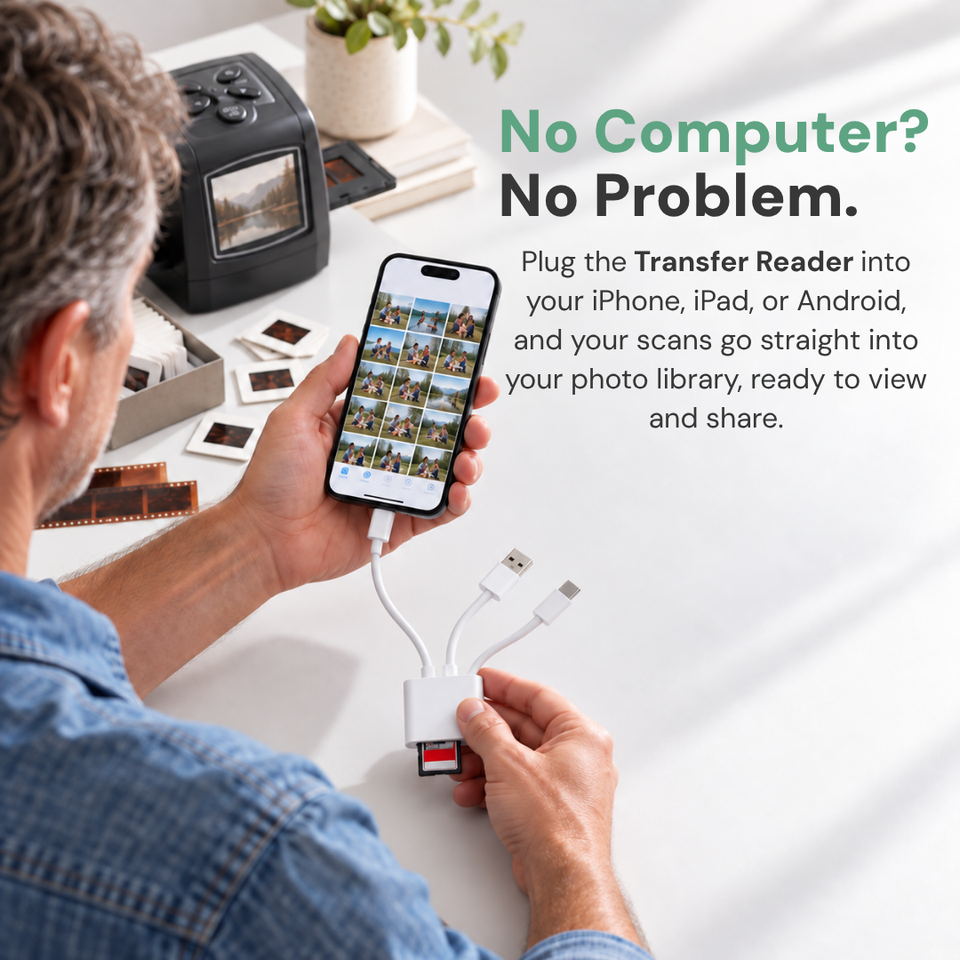
Transferring photos off a memory card usually requires a computer and technical headaches. We solved that for you.
Select the Essential Pack Pro, and you'll get a 3-in-1 reader built specifically for your photos, with cables for your iPhone, iPad, Android, or tablet.
Just plug it in, and your photos appear instantly in your photo library.
No computer. No technical skills.

MemoryVault Box™ Cloud
Scanning hundreds of photos leaves you with a crowded card and no easy way to organize them.
That’s why MemoryVault Box™ Cloud is included free with every order.
Just create your free account upon delivery and start uploading instantly… no extra purchase needed.
Get ready to rediscover
SD storage and phone-transfer accessories depend on your chosen bundle.
Not thrilled with your scans? Return it within 90 days for a full, no-hassle refund. No questions asked.
Every order ships quickly with a live tracking number so you can follow it right to your door.
Built with durable, premium materials for long-lasting, trouble-free performance. Backed by real customer support.
Included with your order

A simple plan for scanning your collection without losing track.
A simple 5-step guide to sorting your collection, avoiding burnout, and organizing digital files so you can easily find and share them.

Turn individual scans into albums your family can enjoy.
Turn hundreds of scans into beautiful photo books using free tools like Google Photos and Shutterfly.

Build a lasting digital collection, one step at a time.
An expert 4-week video program recorded by photographer David Mitchell to help you complete your scanning project step by step.
Special offer on now
Try Your MemoryVault Box™ NOW Risk-Free at an All Time Low Price!
Save 50% · SD card not included
*Requires an SD memory card to save photos (not included).
Continue to checkout: Essential PackSave 50%
Save 50%
Essential Pack requires a separate SD card. A 16GB SD card is included with Essential Pack Pro and a 32GB SD card with Family Pack.

90-Day Money-Back Guarantee · 1-year manufacturer's warranty
All transactions are secure and encrypted
Not Available on Amazon or eBay

Preserve your family history
Professional archivists recommend The MemoryVault Box™ for home use because it delivers studio-quality results without the complexity.
Experts praise it for:
“Preserve your family history at your own pace, in the comfort of your home, without any risk or complexity.”

Bring your collection back into view

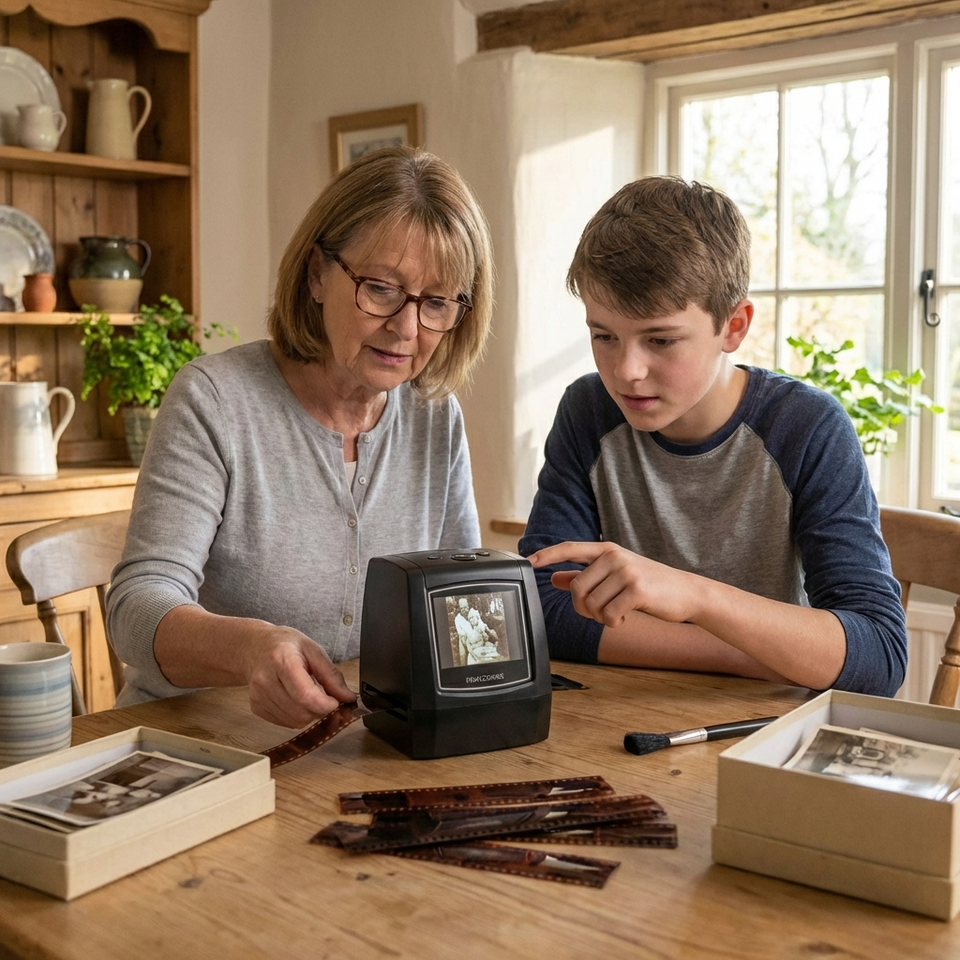
See your old film come back to life in 3 seconds—right on the built-in screen. No computer skills, no mailing your precious photos away, no waiting weeks to see results.
Exclusive Discount for the First 100 Customers
Only 8 Spots Left to Claim Your Discount!
Confirm your selected bundle at checkout.
90-Day Money-Back Guarantee
1-year manufacturer's warranty


A little more clarity
Can't see what you're looking for?
info@memoryvaultbox.comThe MemoryVault Box™ scans 135 (35mm) film, 126 film, 110 film, Super8 film, monochrome negatives, and slides.
The MemoryVault Box™ scans at 22MP. In DPI terms, that's roughly 3,100-3,500 DPI natively — sharp enough to pick up fine detail on negatives and slides, including faces, textures, and detail that lower-resolution scanners often lose.
All scans are saved as JPEG files — universally compatible with any device, computer, or printer straight away with no special software needed!
Each scan is approximately 2-3MB as a JPEG file. A 32GB SD card will comfortably hold thousands of scans — easily enough for most collections! We offer SD cards directly in our store if you need one.
The MemoryVault Box is primarily designed for scanning 35mm film negatives and slides. However, it can also scan printed photos as long as they fit within the 35mm frame dimensions! For larger album photos a flatbed photo scanner would be the better option.
Yes absolutely! All scans are saved as standard JPEG files which work perfectly on both Mac and Windows computers straight away with no special software required. You can transfer files to your Mac or Windows PC in two easy ways:
Each photo takes approximately 3 seconds to scan. You'll see the image appear on the built-in screen instantly, and it automatically saves to your SD card. Most people can scan 50-100 slides in an hour while watching TV or relaxing.
Yes. Scanned photos save as standard JPEG files on your SD card. You can transfer them to your computer using the included USB cable, text them to family, email them, upload to social media, or use them to create photo books. The files work with any device or photo service.
Yes. The MemoryVault Box has built-in auto-rescue technology with backlight compensation and automatic color correction specifically designed for aged, faded film. Even slides from the 1970s-80s that look too dark or yellowed can be salvaged. You'll be surprised how well old film comes back.
The scanner includes film holders, cables, a cleaning brush, and a detailed manual. An SD card is required to save scans. Essential Pack Pro includes a 16GB SD card and Family Pack includes a 32GB SD card; Essential Pack requires a separate SD card. The phone/tablet card reader is included with Essential Pack Pro and Family Pack.
An SD card is required to save your scanned photos. While the device includes minimal internal system memory, it is not designed for permanent photo storage. For the best experience, we recommend using an SD card up to 32GB.
If you selected our Essential Pack Pro (16GB SD card) or Family Pack (32GB SD card) bundle, a high-speed SD card is already included so you can start scanning immediately!
Yes. The MemoryVault Box includes an AV cable that allows you to connect it to a TV. This is great for viewing scanned photos with family or previewing your scanning work on a larger screen.
No. The scanning process is completely non-invasive. Your film simply passes through a light source and sensor—nothing touches or alters the original. We recommend using the included cleaning brush to remove dust before scanning for the best results.
We offer a 90-day money-back guarantee. If The MemoryVault Box doesn't work for you or your film for any reason, return it within 90 days for a full refund. No questions asked.
All orders are processed Monday through Friday and shipped directly from our warehouse.
Estimated delivery times by region:
(Please note: Additional processing time may be required during public holidays and peak sale seasons.)
The MemoryVault Box comes with a 1-year manufacturer's warranty covering defects in materials and workmanship.